
Flux SafeZone | Standalone Safe Zone System preview video
OpenPackages
Flux SafeZone | Standalone Safe Zone System
Flux SafeZone | Standalone Safe Zone System A fully standalone safe zone resource with an in-game admin panel, polygon zone creator, visual boundaries, and per-zone effects. Create, edit, and manage zones without touching a single config f…
4 screenshots / 1 video
Screenshots
4 product images
Preview Videos
Watch the product in action
Product Details
Overview
Flux SafeZone | Standalone Safe Zone System
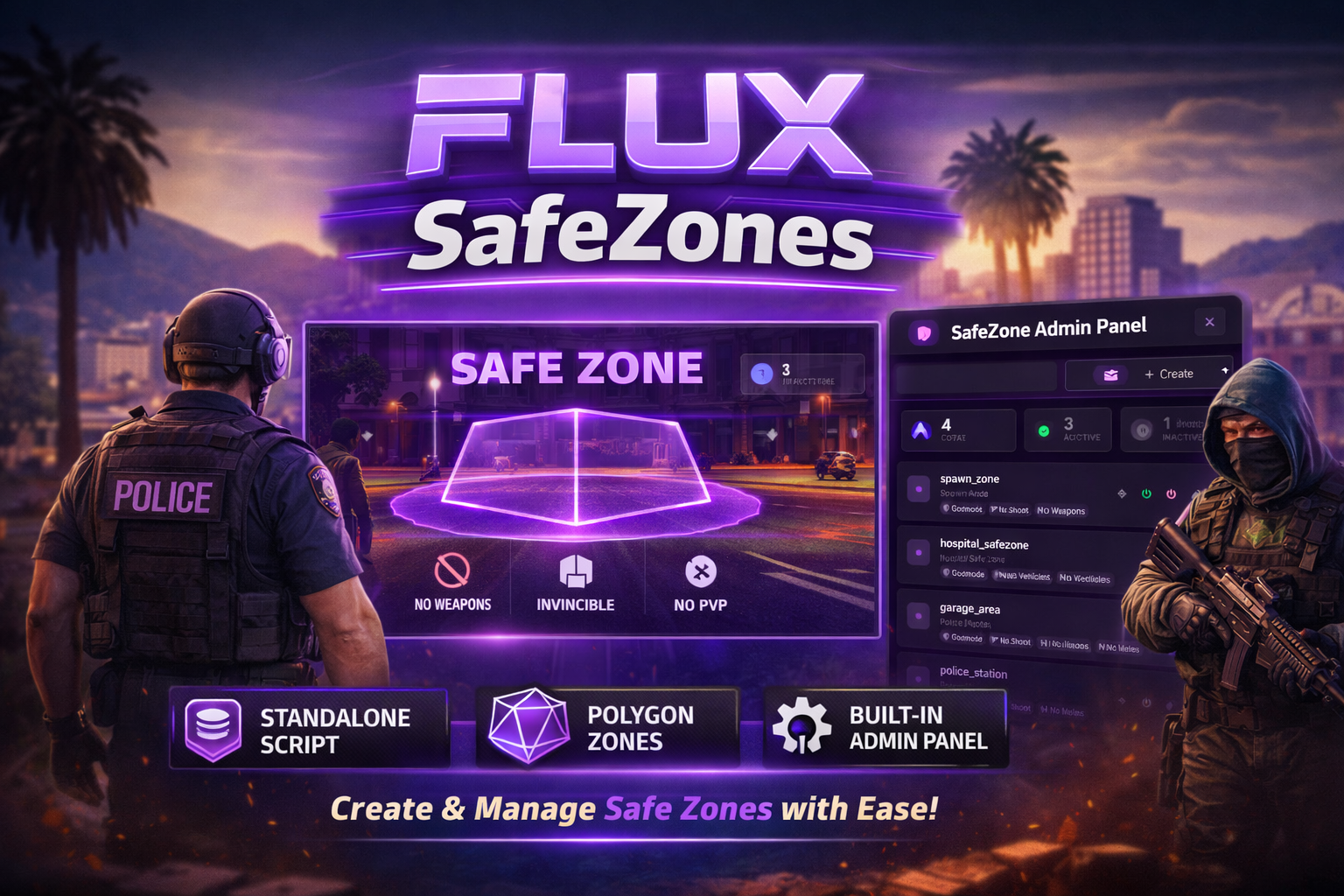
A fully standalone safe zone resource with an in-game admin panel, polygon zone creator, visual boundaries, and per-zone effects. Create, edit, and manage zones without touching a single config file. No framework required. No PolyZone dependency.
Zone System
- Polygon-based zones — draw any shape directly on the map from the admin panel
- Adjustable height bounds (minZ / maxZ) for multi-level areas
- Built-in point-in-polygon detection with AABB fast rejection — no PolyZone dependency
- Activate / deactivate zones on the fly without deleting them
- All zones persist in the database and sync to all clients automatically
- Per-zone labels for display names (notifications, blips) separate from internal name
Zone Effects
Toggle any combination of effects per zone:
- Godmode — Players become invincible inside the zone
- No Shooting — Disable all firing controls
- No Weapons — Strip all weapons on entry
- No Melee — Block melee damage
- No Weapon Damage — Nullify all weapon damage
- No Collision — Walk through other players (bilateral sync)
- Block Vehicles — Auto-delete vehicles that enter the zone
- Vehicle Warning — On-screen warning before entering a no-vehicle zone
- No Ragdoll — Prevent ragdoll physics
- Clear Blood — Remove blood effects on entry
- Admin Bypass — Admins skip effects per zone
Visual Features
- Zone Boundaries — In-world polygon walls with customizable color, opacity, and gradient fade
- Live Boundary Preview — See color changes in real-time before saving
- Map Blips — Per-zone or default blip with configurable sprite, color, scale, and label
- Safe Zone HUD — Customizable "IN SAFE ZONE" indicator with position and color options
- Vehicle Warning HUD — Proximity warning before entering a no-vehicle zone
- Enter/Exit Notifications — Per-zone title, type, and duration
In-Game Admin Panel
Everything is managed from the NUI panel — no config files, no restarts.
- Zone Creator — Walk around and place polygon points on the map, adjust height, configure effects, and save
- Zone List — Search, edit, activate/deactivate, or delete any zone
- Zone Editor — Modify name, label, effects, blip, notifications, and boundary settings
- Settings Page — Language, notification system, default blip, debug toggle, HUD position & color
- Admin Management — Add or remove admins by identifier directly from the panel
Notification Systems
Choose your preferred notification system from the admin panel:
- Default — Native FiveM notifications
- ox_lib — ox_lib notification system
- okokNotify — okokNotify notification system
-
Custom — Edit
custom/client/notify.luafor your own
Quality of Life
- Multi-language support (English & Spanish included, easily extendable)
- Fully standalone — no framework or PolyZone dependency
- Optimized polling with global AABB early-out — near-zero idle performance cost
- Bilateral no-collision sync (server-side relay so both players see the effect)
- Overlapping zone support — effects stack correctly and restore on exit
- Categorized debug logging with color-coded console output
- Database-persisted settings — survives restarts with no config files
Dependencies
- oxmysql
Compatibility
- Fully standalone
- No framework required
- No PolyZone required